廣告載入中...

iCloud 雲碟在 Finder 側邊欄找不到?教你怎麼找回來!

iCloud 雲碟在 Finder 側邊欄找不到?教你怎麼找回來!

iCloud 幾乎是每個 iOS 及 macOS 會使用的雲端硬碟,macOS 可以用來搭配 iCloud 進行備份、傳送給iPhone 檔案也相當方便,iCloud 也會顯示在 Finder 左側側邊欄內,但是如果側邊欄的選項不見了,該怎麼讓 iCloud 這個選項在 Finder 左側邊欄顯示出來呢?

廣告載入中...

使用版本:macOS Catalina 10.15.4

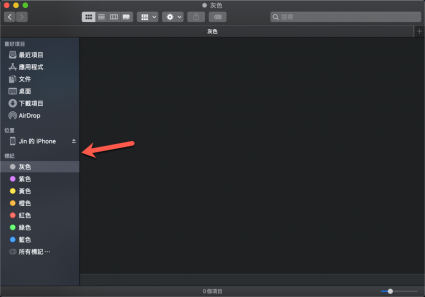
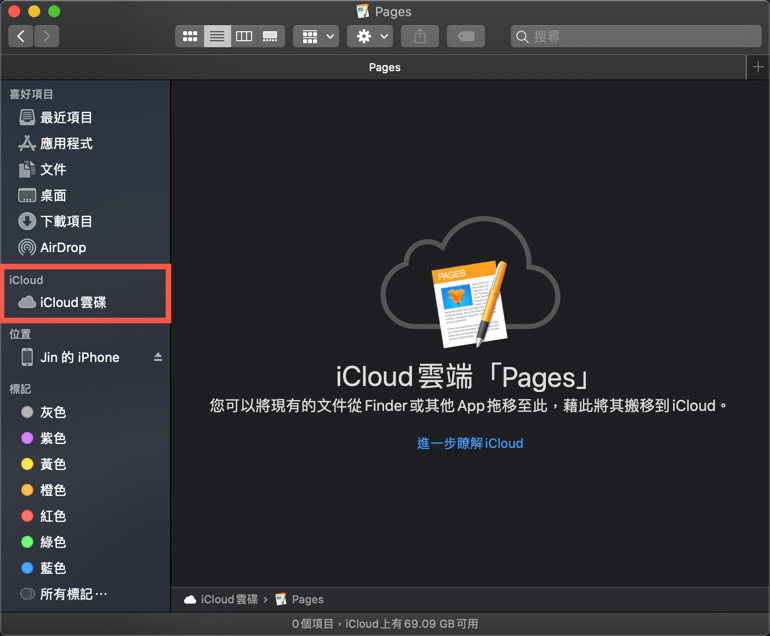
一般來說預設 macOS 側邊欄「iCloud 雲碟」的選項,但也很常發生不小心移除或者不見。
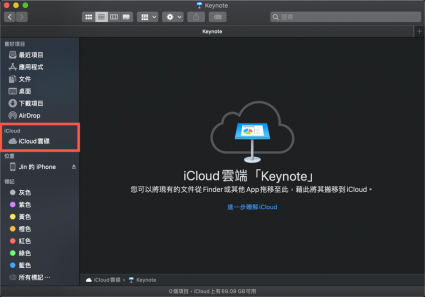
iCloud 雲碟 Finder 側邊欄 macOS 設定 iCloud 備份 Apple 雲端硬碟 iCloud 雲碟 Finder 側邊欄 macOS 設定 iCloud 備份 Apple 雲端硬碟

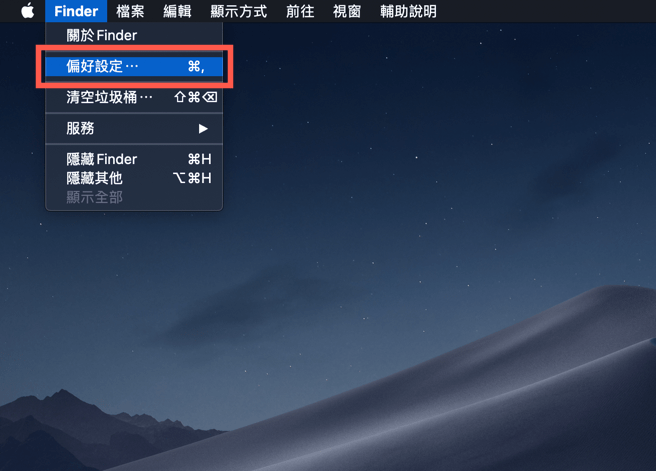
想將他重新顯示只需要點選左上方 Finder 選項內的「偏好設定」。

iCloud 雲碟 Finder 側邊欄 macOS 設定 iCloud 備份 Apple 雲端硬碟

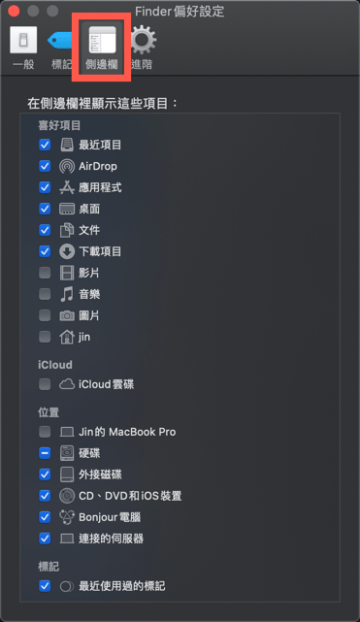
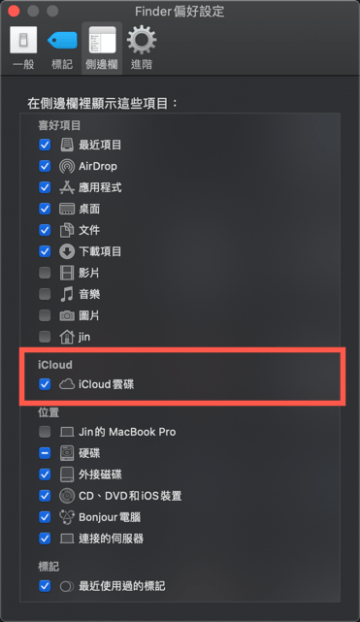
將「側邊欄」中的「iCloud 雲碟」開啟。

iCloud 雲碟 Finder 側邊欄 macOS 設定 iCloud 備份 Apple 雲端硬碟 iCloud 雲碟 Finder 側邊欄 macOS 設定 iCloud 備份 Apple 雲端硬碟

開啟後就會在 Finder 出現「iCloud 雲端」選項就會出現了。

iCloud 雲碟 Finder 側邊欄 macOS 設定 iCloud 備份 Apple 雲端硬碟
TAGS:#macOS 教學
TOP