深色模式一直以來深受使用者喜愛,大多是不希望在夜晚時看到白色的亮色背景,能夠以較為深色的顏色當作背景。Google 搜尋也加入了這項新的的功能,也就是「深色模式」主題,將原本預設是白色背景的 Google 搜尋,調整成以黑色的背景主題顯示。
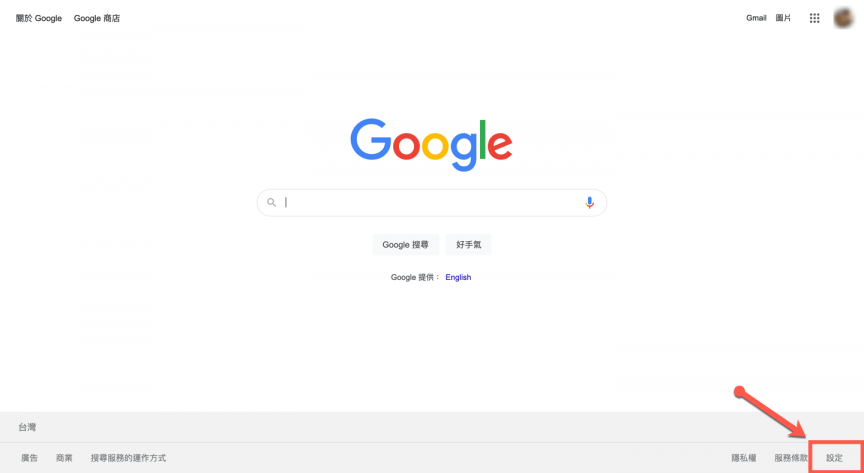
首先先進入到 Google 首頁,點選右下角的【設定】。
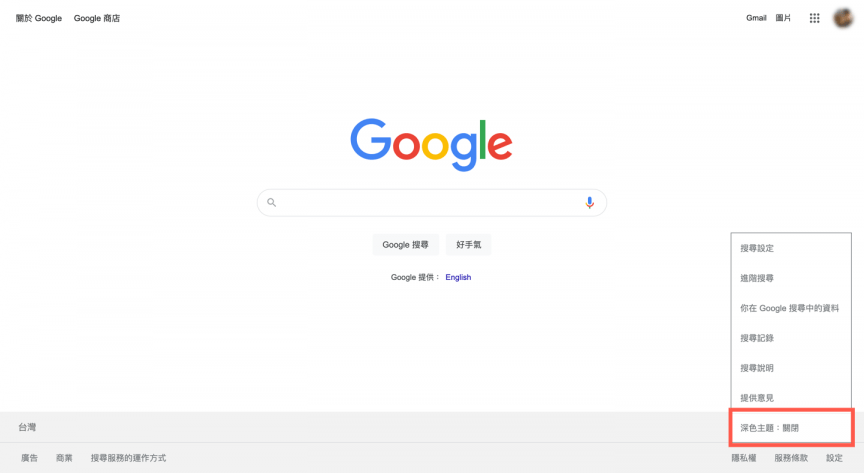
之後點選最下方的選項【深色主題】,將他開啟。
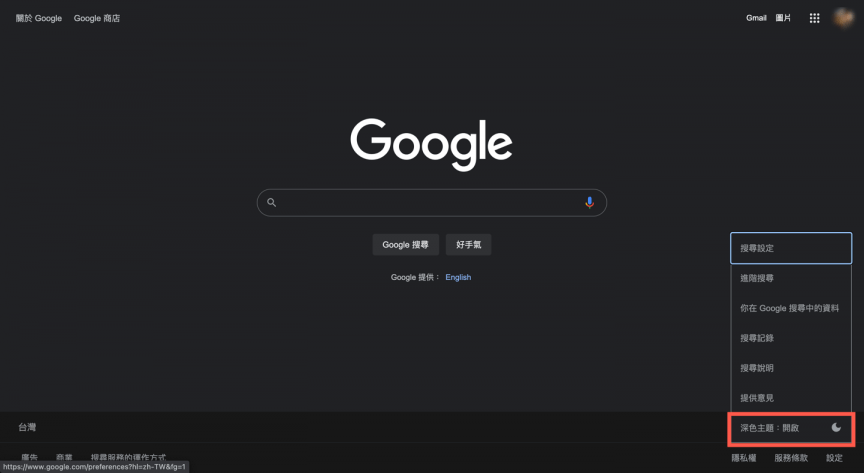
開啟之後就都會一直顯示深色主題的狀態。

若需要關閉的話,一樣點選設定中目前為開啟狀態的【深色主題】。
收藏這篇文章:我的收藏
深色模式一直以來深受使用者喜愛,大多是不希望在夜晚時看到白色的亮色背景,能夠以較為深色的顏色當作背景。Google 搜尋也加入了這項新的的功能,也就是「深色模式」主題,將原本預設是白色背景的 Google 搜尋,調整成以黑色的背景主題顯示。
首先先進入到 Google 首頁,點選右下角的【設定】。
之後點選最下方的選項【深色主題】,將他開啟。
開啟之後就都會一直顯示深色主題的狀態。
若需要關閉的話,一樣點選設定中目前為開啟狀態的【深色主題】。